How to Choose the Right HDMI Adapter and USB-C to HDMI Cable for Everyday Use
An HDMI adapter would be an ideal tool for connecting different types of devices, as it is likely that none of them has same ports at all. Instead of spending money to buy new devices and replace the existing ones, users can make use of a small adapter and make different devices work together.
A very popular alternative is to connect through USB C to HDMI for those users who are on board with modern devices. This connection allows the supported devices to send their videos and sound output to a TV, monitor, projector, etc. But, it may not be the case with every USB-C port, as only some support the video output and therefore, it is essential to first check the device capabilities. Getting familiarised with the functions and working principle of such accessories, enables easier decision-making for home, work, school, and entertainment purposes.
What Is an HDMI Adapter?
An HDMI adapter is a small handy device used to link two equipment that come with different type of ports. Let’s say the laptop has a Mini DisplayPort but the monitor or the television only have an HDMI port. That is when a converter comes in handy, which is a type of adapter, so as to make the communication possible between these two devices when the desired screen type (e.g., screen resolution) is supported. Depending on the kind of adapter, it is capable of converting, for instance, USB-C, DisplayPort, Mini DisplayPort or another connection type you want to HDMI.
An HDMI adapter is mainly useful in making the connection to large screens hassle-free and easy. It will not only help you to expand your laptop display into two monitors, mirror your tablet screen to a TV or connect your computer to a projector in the process of giving the presentation. The compact dimension allows many of them to be stored in a laptops bag which makes these products very handy for professionals who are frequently moving from one place to another.
Why USB-C to HDMI Connections Are Popular
USB Type-C connector has become so prevalent on today’s electronic gadgets that it is almost considered a standard. The device with a USB-C connector can do data transfer, charging of a battery, connecting an external storage or even transmitting a video signal. This all-rounded functionality is what makes this connector ideal to devices which have limited numbers of physical ports such as laptops and tablets.
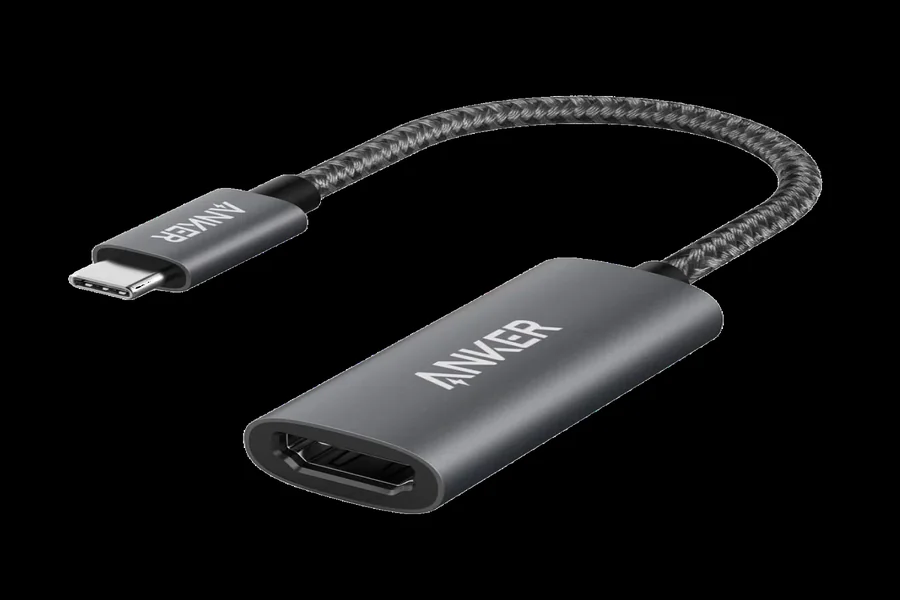
A converter or a USB-C to HDMI adapter works by taking advantage of video output capability which some USB-C enabled devices have. If a person’s laptop does not have a built in HDMI port, or if someone wants to watch a video on a bigger screen than what the tablet offers, then a USB-C to HDMI adapter becomes essential. Video and audio signals can be handled by USB-C to HDMI conversion which in majority of the cases means that people don’t need an additional audio cable anymore. A user, however, has to make sure the port the USB-C is a video output supporting port, such as DisplayPort Alt Mode, or another video interface is compatible. A mere presence of the USB-C connector does not automatically mean the video output will work.
How to Choose an Adapter for Your Device?
Right or the wrong adapter largely depends on what you will be using it with, i.e., a computer or any other equipment, and also on the type of display you will be connecting. A person with a recent-model computer might just need a usb c to hdmi adapter, but others can be at a disadvantage because their system has an older port they will have to deal with. A proper check of ports available can help you avoid buying what will be an unnecessary purchase.
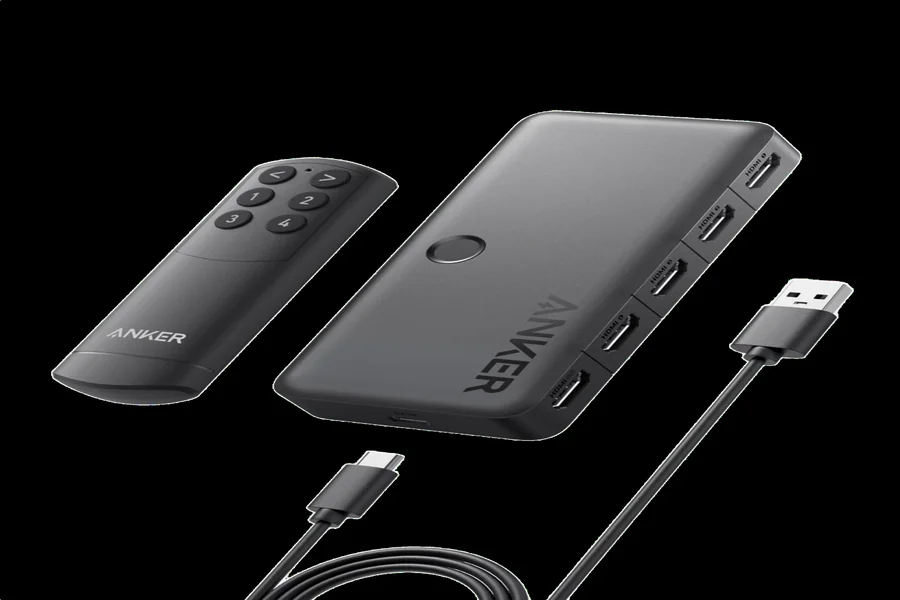
In order to choose a suitable adapter for their HDMI screen, users have to consider the type of their source equipment. If you get a laptop that is able to output video using a USB-C connector then you should be able, with the proper adapter, to get a signal from the HDMI monitor. On the other hand, a device with Mini DisplayPort will need another solution entirely. It would also depend on whether one wants just simple adapters, longer cables, or multi-port dongles that have USB-A ports, charging passthrough, etc., in addition to other features.
Final Thoughts
Connecting different devices to a monitor or a TV screen is usually not a difficult process, as far as technology is concerned. When the users get used to the various kinds of ports on their devices, it is easy to figure out which accessories would make their work, study, playing games, or any form of entertainment more comfortable and efficient. A good matching adapter will be able to expand a computer screen of the laptop, help projecting a slide, bring a piece of digital content onto a television set, etc.
The first thing and foremost is to get to know each device very intimately before a final decision on a purchase is made. For instance, if you go for HDMI adapter, it should be able to match both the source and the display features; likewise, the solution that connects a HDMI device to a USB-C port must meet the video requirements of the USB-C port as well. In the long run, a user will probably get his/her money’s worth from a carefully-made purchase rather than the cheapest one.
Frequently Asked Questions
What is the purpose of a HDMI adapter?
A HDMI adapter is for plugging together devices with different types of ports that are intended to show things on a screen. It allows the display to interact with laptops, tablets, and projectors, too.
Will the USB-C to HDMI be compatible with all laptops?
No, of course, that depends on the laptop model and the USB-C port’s capability to output a video signal. If